Best Photos for Tiny Desk AI
Last updated:
For a Tiny Desk AI video, start with one recognizable solo portrait: a face toward the camera, enough detail, even light, and visible eyes and chin. TinyDesk.video currently recasts one lead in the reference performance. If you start with a group photo, crop it to the one person who will sing lead.
Full Nico sample: preview before deciding
The full Nico demo: 720×1280, about 11 seconds. New videos use the same fixed reference soundtrack as the Nico demo.
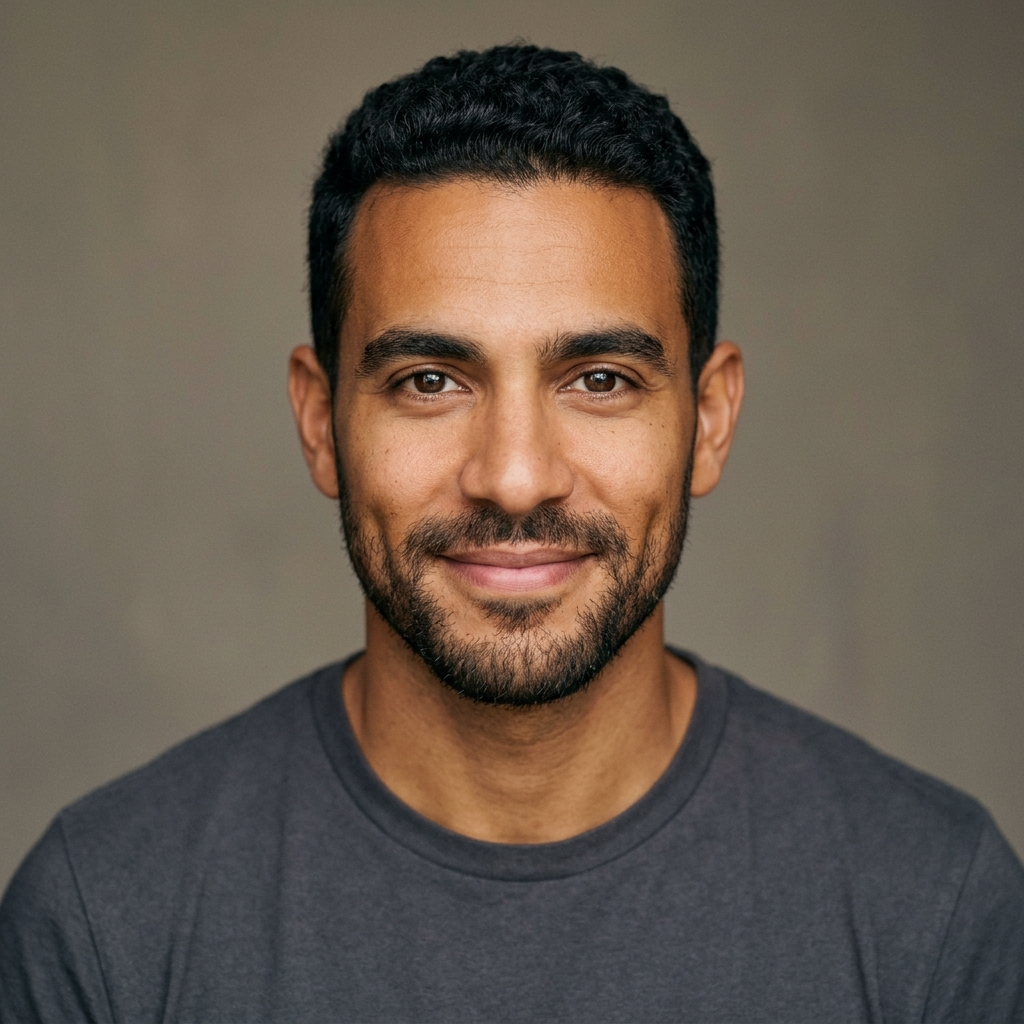
A: which photo is a good starting point?
Choose a sharp head-and-shoulders portrait with the whole head and chin visible. Make the face the main subject, keep detail around the eyes, avoid blown-out skin, and prefer a simple background. A near-frontal view is easier to inspect than an extreme low or high angle.
Open Nico's actual input and full sample to compare the source with one existing result. Compare the photo and video to see how the lead singer appears in the performance.
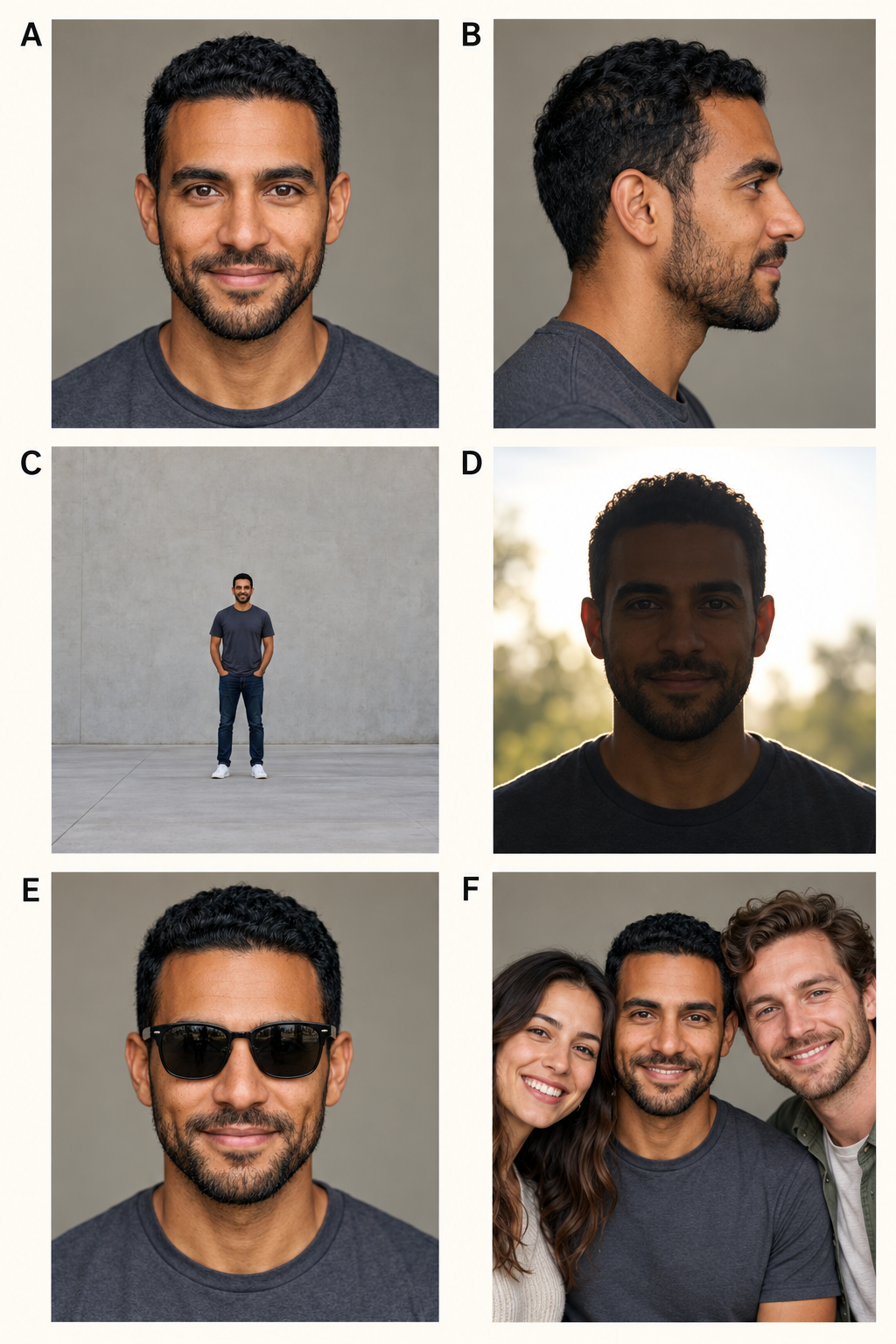
B–F: which problems should you fix first?
B, side profile: if only one eye or half the face is visible, choose a more frontal photo rather than trying to reconstruct hidden features.
C, tiny subject: enlarging a face cannot restore missing detail. Find a closer original when possible; a crop only removes unwanted background.
D, backlight: if the background is bright but the face is dark, retake facing soft window light or choose an evenly lit photo. Strong brightening may still leave little detail.
E, hidden eyes: replace photos with dark sunglasses, a shadowing brim, a hand or a phone over the face. Check clear glasses for glare too.
F, several people: pick the one lead and crop out the others. If that leaves a tiny blurred face, use a solo original instead.
How should you crop a group photo?
1. Make a copy in a photo editor or phone gallery, keeping the original. Choose one consenting adult.
2. Crop to that person's head and shoulders, preserving the top of the head and chin. Remove partial faces along the edges.
3. Zoom in to inspect the eyes, hairline and face. Export as JPEG or PNG and check file size. Repeated screenshots are a poor substitute for the original.
For separate versions starring different friends, prepare individual portraits and create separate videos. A collage does not unlock extra roles.
What file formats and sizes are accepted?
Accepted types are JPEG / PNG / WEBP, up to 10 MiB (10,485,760 bytes). Export HEIC photos into a supported format first; renaming the extension does not convert the image.
A larger file does not guarantee a clearer face. Address blur, obstruction and framing before exporting within the limit. The photo provides identity; its background does not become a new stage.
What about selfies, glasses and filters?
A selfie can be a candidate: hold the camera near eye level and avoid exaggerated distortion from a very close lens. Judge glasses, facial hair and hats by actual occlusion and glare, rather than assuming an accessory guarantees success or failure.
Avoid heavy smoothing, face reshaping, stickers and aggressive sharpening. A natural-looking photo with minimal retouching gives the model a clearer view of your face.
Final check before generating
Check for one intended lead, permission to use the portrait, a clear face, and an accepted file. Preview the full sample, choose the output option and review the credit cost. Current takes are approximately 11 seconds in 480p / 720p.
Play the finished video with sound. If you notice a problem, keep the video ID and contact support for help before making another purchase.