Tiny Desk AI for Two: Lead Singer and Sax
Last updated:
Choose 2 people in the creator and use one portrait per person. Cast one as the laughing lead singer and the other as the sax player so each gets a close-up.
| 0–5.33 sec | Opening: the reference keyboard player and backing singers stay. |
|---|---|
| 5.33–11.63 sec | Middle: person 1 takes the laughing lead close-up. |
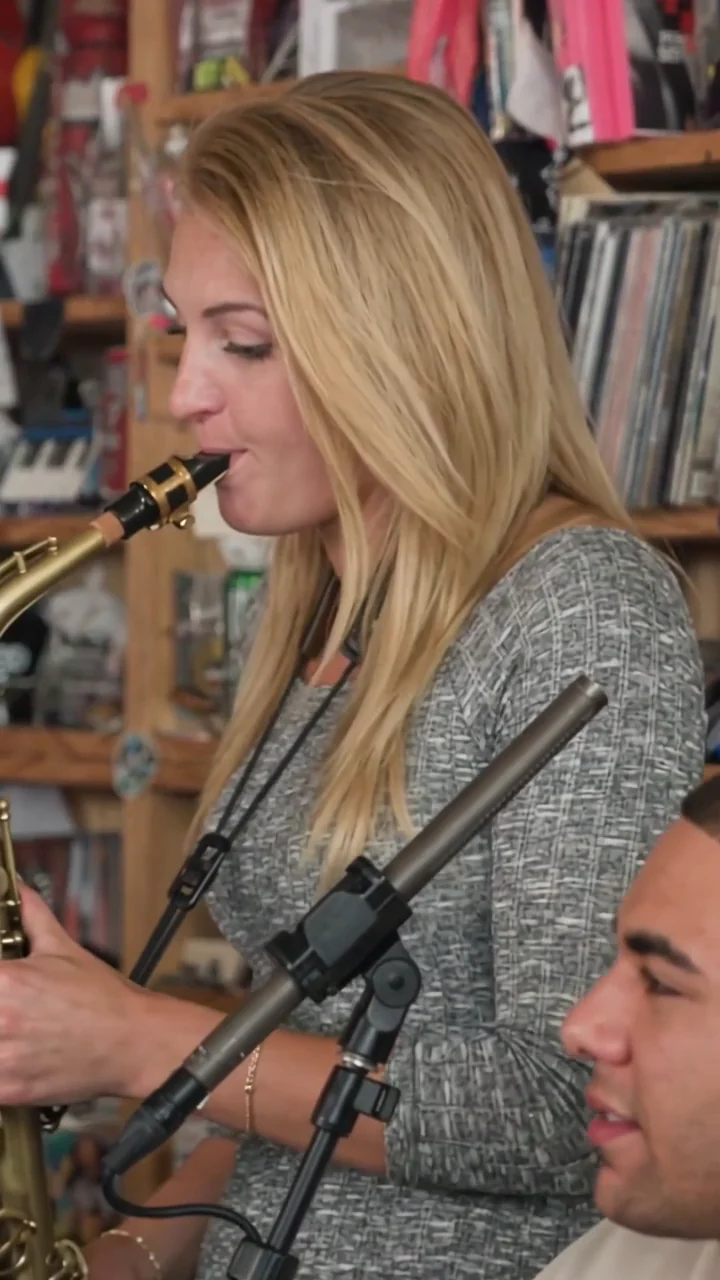
| 11.63–15 sec | Finale: person 2 takes the sax close-up. |
Two input photos, two roles
These portraits come from the five-person demo. Use the same lineup with one clear solo photo of each person in your duo.

Photo 1 → Laughing lead singer
Gets a solo close-up in the middle.

Photo 2 → Sax player
Gets the close-up in the finale.
How to assign the two photos
Choose “2 people” in the creator. Check that row 1 is the laughing lead and row 2 is sax. Follow the prompt to sign in and add the matching portrait to each row.
To swap performers, tap the occupied role thumbnail below either photo. The roles swap and the photos stay in their rows.
5.33–11.63 sec: the laughing lead
The opening cuts to the lead singer’s face. Give the lead role to the person you want viewers to recognize first.

11.63–15 sec: the sax finale
Person 2 plays sax in the finale. The opening keyboard player also appears in the lower right and stays as shown in the reference when you cast only lead and sax.
Want the other person in the opening?
Give the second person front keys. The lead still appears in the middle, while the keys player appears in the opening and again at the lower right of the finale. Add a third person on sax to cast someone in each shot.